Hype AI - AI Photo & Video
- 4.4
- Rating
- 1.00M
- Installs
- Free
- Price
 Analysis by App-foxy
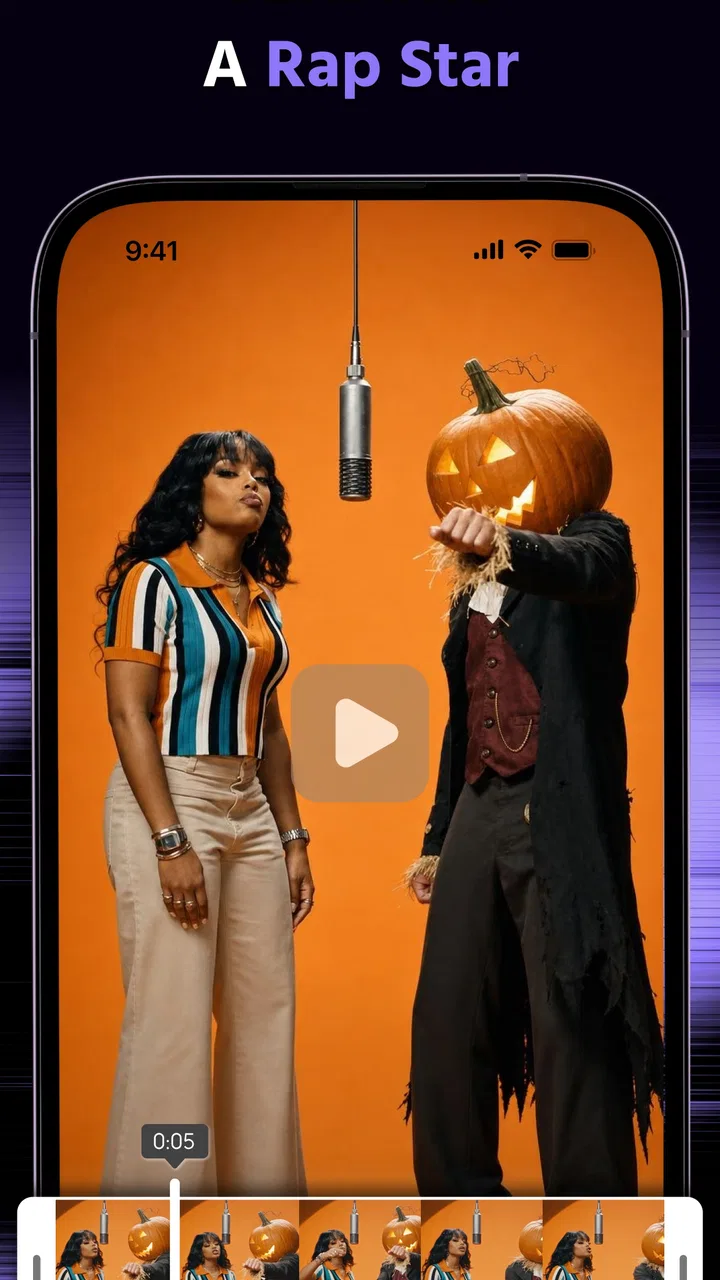
Hype AI - AI Photo & Video is the kind of photography app I would open when an ordinary image needs a stronger visual identity quickly. It is built around AI-assisted creation rather than traditional camera controls, and that distinction matters: I found it more useful for experimenting with a finished photo or video than for carefully managing every technical detail while shooting. The app comes from ORIGO Game, is free to install, and is aimed at adults with a Mature 17+ content rating.
My first impression was that its appeal depends less on replacing a full photo editor and more on shortening the distance between an idea and a shareable result. If I want a picture to feel dramatic, playful, or deliberately attention-grabbing, an AI tool can get me closer in fewer steps than a conventional editor. That convenience is also the main trade-off. The more the app interprets the image for me, the less predictable the final look becomes.
What the app is really good at
The app’s store summary describes creating hype-worthy photos and videos with AI, and I think that is a fair way to understand its role. It is not the photography app I would choose for a quiet documentary image, accurate product color, or a carefully controlled portrait where small changes matter. I would choose it when the goal is impact: a social post, a quick visual concept, a stylized memory, or a playful transformation that would take much longer by hand.
You May Also Like

 Blood Strike: 2.5 Anniversary
Blood Strike’s Loadouts Turn Every Drop Into a Tactical Gamble
A close look at Blood Strike’s custom loadouts: how fast access to signature weapons reshapes its battle royale rhythm, rewards preparation, and narrows the gap between fights.

 Pandora - Music & Podcasts
Pandora’s Music Is Easy to Start, but Harder to Recover
Pandora’s strength is its low-effort path from a seed to a station. Its weak spot is how much confidence it asks you to place in connection, setup, and quiet recovery.

 8 Ball Pool
 Is Built on Rivalries, Rematches, and Routine
A close look at the rivalries, rematches, shared routines, and unanswered safety questions that turn a quick pool match into a persistent mobile community.

 Samsung Music
’s Quiet Strength Is Playing What You Already Own
Its reach comes less from spectacle than from dependable access to a personal library. That simplicity is both the app’s strongest retention engine and its ceiling.

 AccuWeather: Weather Radar
AccuWeather Review: A Quick, Clear Forecast for Everyday Decisions
For everyday plans, the best forecast is the one you can understand quickly. AccuWeather makes rain timing, radar, and local conditions easy to act on, with a few trade-offs.

 Hill Climb Racing
Why Hill Climb Racing Still Turns Crashes Into One More Run
A tiny car, a bumpy hill and one more upgrade: Hill Climb Racing keeps resurfacing because its simple chaos makes every near-miss feel personal.
More From Our News Desk
View All News


That makes it especially approachable for people who do not enjoy learning layers, masks, curves, keyframes, or complex retouching tools. A conventional editor gives me more control, but it also asks me to make more decisions. Here, the creative process feels closer to trying ideas and judging results. I can start with an existing photo or video, test a visual direction, and decide whether the result is convincing enough to keep.
There is a useful difference between “fast” and “effortless,” though. AI may reduce editing work, but I still need to choose a suitable source image and inspect the output carefully. A weak original rarely becomes a genuinely strong image just because an effect is applied. Faces, hands, small text, busy backgrounds, and unusual lighting are the areas I would check first. The app can make a result feel exciting at a glance while still producing details that look strange when viewed closely.
A practical everyday workflow
Imagine I have taken a quick evening photo of a friend outside a café. The composition is decent, but the lighting is flat and the image does not stand out in a crowded social feed. I would use this app as an idea generator: begin with the original, try a more energetic visual treatment, compare the result with the unedited version, and keep the variation only if the person still looks natural and the surroundings have not become distracting.
That comparison step is more important than it sounds. AI editing encourages me to react to novelty, so the most dramatic version can seem like the best one simply because it is different. I prefer to pause and ask whether the subject remains recognizable, whether the effect supports the mood, and whether I would still like the image tomorrow. This habit prevents the app from turning every photo into the same exaggerated style.
For short videos, I would use a similar approach but with an extra check for consistency. A still image can hide a small visual error; movement makes it much easier to notice. I would watch the complete clip before sharing, paying attention to transitions, facial details, background changes, and any frame that looks noticeably out of place. This is one of the clearest situations where a quick preview is not enough.
Where it differs from ordinary photo editors
Traditional photography apps are usually better when I know exactly what I want to adjust. Brightness, color temperature, cropping, sharpening, and selective retouching are predictable because I control the individual changes. Hype AI is more interesting when I know the feeling I want but not the exact editing recipe. It gives the creative process a more exploratory character, which can be liberating for beginners and frustrating for perfectionists.
I would not treat it as a complete replacement for a serious editor. A conventional tool remains the better choice for accurate corrections, repeatable brand work, detailed portrait retouching, and situations where the original appearance must be preserved. This app makes more sense beside those tools, not necessarily instead of them. I can use AI for the first creative direction, then move to a conventional editor if the image needs precise finishing.
The same trade-off applies to video. If I need exact timing, detailed audio work, controlled captions, or a carefully assembled sequence, a dedicated video editor is likely to be more suitable. The AI approach is strongest when visual transformation is the main point. It is less convincing as an all-purpose production environment for a polished, multi-step project.
Trust, controls, and moments that deserve care
Because this app works with personal photos and videos, I would judge it differently from a simple offline filter. A picture may include a face, a child, a home interior, a workplace, a location clue, or somebody who never agreed to be edited. Before importing anything sensitive, I would look closely at the app’s permission prompts, privacy explanations, and any choices shown during upload or processing. I would not assume that a creative result is harmless just because the interface feels playful.
The important question for me is not whether AI sounds impressive; it is whether I can understand what I am choosing at each stage. I want clear prompts when the app requests access, an obvious way to decline access that is not needed, and a visible route to manage account-related choices if an account is involved. Those are practical trust signals because they let me make an informed decision instead of accepting every request automatically.
I also recommend separating casual material from sensitive material. A landscape, a public event, or a disposable creative test is a sensible way to learn the workflow. Private family images, identity documents, confidential work screens, and photos containing other people deserve a more cautious approach. If I would hesitate to send the file to an unfamiliar editing service, I would not use it as an experiment here either.
Another data-sensitive moment comes after editing. I would check which version is being saved or shared and whether the output is clearly distinguishable from the original in my own gallery. That small organizational step helps avoid posting the wrong file, especially when an AI variation looks similar to the source. I would also review the sharing screen rather than tapping through it quickly, because creative apps can make publishing feel like the natural final step.
How I would handle permissions and account choices
I would grant access gradually rather than approving everything on the first launch. If the app asks for photo or video access, I would choose the narrowest option that still lets me test the feature, where my device offers that choice. I would only enable camera or microphone access when I actually need those functions. This is not an accusation against the developer; it is simply a sensible way to keep control over a photography app that may handle personal media.
If an account or sign-in screen appears, I would read the available options before continuing. I would look for whether the app allows me to use its core workflow without unnecessary profile details, whether there is a clear sign-out route, and whether deleting the app is different from deleting an account. Those are separate actions, and confusing them can leave users with less control than they expected.
Subscription and purchase screens deserve the same attention. The app is free, but it includes in-app purchases ranging from under a dollar to amounts approaching one hundred dollars per item. I would treat that range as a reason to slow down before confirming anything, especially if a feature is presented during an enthusiastic editing session. I would check exactly what the purchase unlocks, whether it is one-time or recurring, and which account will be charged through the device’s store controls.
I would also avoid uploading a valuable original as my only copy. Before trying an unfamiliar transformation, I would keep the source safely stored elsewhere. That is useful for creative reasons as well as trust reasons: if the output is disappointing, I can return to the untouched image and try a different approach without losing the starting point.
Three less obvious ways to get better results
First, I would prepare a small test set instead of judging the app from one favorite photo. I would choose a clear portrait, a landscape, a darker indoor shot, and a short clip with movement. This reveals where the app fits my own material. An effect that looks excellent on a clean portrait may be distracting on a busy street scene, while a video treatment may work better on a simple subject with a stable background.
Second, I would make a restrained version before trying the most dramatic option. The restrained result gives me a reference point and often preserves more of the original character. If the stronger treatment changes the face, removes useful detail, or overwhelms the composition, I can recognize that because I have something calmer to compare it with. This is a better workflow than choosing the loudest preview immediately.
Third, I would inspect the output at full size and at the size where I plan to share it. Some flaws are obvious when enlarged but invisible in a small preview; others become more distracting after cropping for a social platform. Checking both views helps me decide whether an unusual detail is a real problem or merely a harmless artifact that disappears in the final presentation.
A fourth useful habit is to keep a simple naming system for experiments. I might save the original, a restrained variation, and a final candidate with clear labels. AI tools make it easy to generate several versions, and without basic organization I can lose track of which file contains the original or which one I actually preferred. This is especially helpful when working with video, where duplicate files can become difficult to identify from thumbnails alone.
Who should try it, and who should skip it
I think the app is a good fit for casual creators, social media users, and anyone who wants to explore visual ideas without spending an evening learning a complicated editor. It also suits people who enjoy iteration. If I like trying several moods and selecting the most convincing result, the AI approach feels engaging rather than restrictive.
It may also help a beginner understand what kind of visual style they prefer. By comparing different treatments, I can discover whether I like bold color, cinematic atmosphere, surreal changes, or a lighter touch before investing time in manual editing skills. That makes the app useful as a creative sandbox, even if I later finish the work somewhere else.
I would skip it for confidential material unless I had first reviewed the current permission and privacy choices carefully. I would also choose another tool for professional work that requires exact repeatability, technical color accuracy, detailed retouching, or a documented editing process. Photographers who want full control over every pixel may find the app’s interpretation more annoying than helpful.
Parents and users working with other people’s images should be particularly thoughtful because the Mature 17+ rating sets an important boundary around the audience. I would not treat that rating as a substitute for supervision or consent. Before editing somebody else’s face or sharing an altered version, I would make sure the person is comfortable with the idea and with the destination of the final file.
Performance expectations and value
The app has reached over a million installs and holds a 4.4 average from around nine thousand ratings, which suggests that its central idea has found a substantial audience. I see that as a useful sign of interest, not a guarantee that every effect will suit every device or photography style. My own decision would depend more on whether its results match the kind of images I actually make.
It runs on Android versions from 7.0 onward, so compatibility is broad enough for many older devices. Even so, AI-heavy editing can feel more demanding than a basic crop or filter. I would keep enough free storage for source files and exports, avoid judging the app while my phone is already overloaded with background tasks, and give video processing more patience than a simple photo adjustment.
The current version is 7.0.6, so I would pay attention to the exact behavior on my device rather than assuming that a tutorial made for an earlier release will match every screen. Creative apps can change their layouts, available tools, and purchase presentation over time. When something important involves a permission, account setting, or payment, I would trust the wording visible in my own app more than an old walkthrough.
Free installation lowers the barrier to trying it, but the in-app purchase range means “free” should not be read as “everything is included.” I would explore the basic workflow first, decide whether the results are genuinely useful, and only then consider spending money. The best value comes when the app saves me time on a task I actually repeat; buying a feature merely because its preview looks exciting is less convincing.
My cautious verdict
After looking at it as both a creative tool and a place where personal media may pass through an AI workflow, I see Hype AI as a fun, accessible option for fast visual experimentation. Its strongest quality is not technical precision. It is the way it encourages me to move from an ordinary photo or clip toward a more expressive concept without requiring a deep editing background.
I would recommend starting with non-sensitive material, granting only the access needed for the task, checking every sharing and purchase screen, and keeping the original file separate. Those steps do not take much time, and they make the experience more deliberate. I would also compare the AI result with a normal edit before deciding that the transformation is an improvement.
For a friend who wants striking social visuals, quick experiments, or a low-pressure introduction to AI-assisted photography, I would say it is worth trying. For someone who needs exact control, professional consistency, or strong safeguards around confidential images, I would point toward a conventional editor or a workflow with controls that better match those needs. My final view is positive but measured: the app is most trustworthy when I stay actively involved in what I import, what I approve, what I buy, and what I share.
FAQs for Hype AI - AI Photo & Video
01What is Hype AI - AI Photo & Video, and what can I use it for?
Hype AI - AI Photo & Video is designed to help users create and enhance visual content with artificial intelligence. Depending on the available tools and version, you may be able to generate images, apply creative effects, improve photos, animate pictures, or produce short video content. It is aimed at social media creators, casual users, and anyone who wants quick results without advanced editing skills.
02Is Hype AI - AI Photo & Video free to download and use?
The app may be free to download, but some features, effects, export options, or AI generations can require in-app purchases or a subscription. Before starting a trial, carefully check the pricing, billing frequency, renewal terms, and cancellation instructions shown in the app store. Free access may also include limits such as daily credits, watermarks, advertisements, or reduced-quality exports.
03Does Hype AI require an internet connection?
Most AI-powered photo and video features generally require an active internet connection because the media is processed on remote servers rather than entirely on your device. This means generation speed can depend on your connection and server availability. Some basic editing functions may work offline, but you should not assume that AI creation, cloud processing, or account synchronization will be available without internet access.
04Are my photos and videos safe when I use Hype AI?
Before uploading personal photos or videos, review the app’s privacy policy and permission requests. AI editing services may need to process your media on external servers, and the policy should explain how files are stored, used, retained, or deleted. Avoid uploading sensitive documents, private images, or content involving other people unless you understand the service’s data practices and have the necessary permission.
05What device requirements and limitations should I know about?
Compatibility can vary between Android and iOS devices, and newer AI effects may perform best on recent operating system versions and phones with sufficient storage and memory. Video generation can also use significant data, battery, and processing resources. Export resolution, video length, supported formats, watermark removal, and the number of daily creations may depend on your device, account type, subscription, or the specific feature being used.
Pros
- Creates polished AI-enhanced photos and videos with minimal editing effort.
- Offers creative effects and styles for social media content.
- Simple interface makes most tools accessible to beginners.
- Useful for experimenting with portraits
- avatars
- and visual transformations.
- Can save time compared with making similar edits manually.
Cons
- Some advanced effects may require a subscription or additional credits.
- AI results can vary noticeably depending on the source image quality.
- Processing certain photo and video effects may take time on older devices.
- Generated faces
- hands
- or details may occasionally look unnatural.
- Privacy terms should be reviewed before uploading personal photos or videos.

Hype AI - AI Photo & Video
Gallery